Stop losing nights to manual month-end reconciliations. Clean and bulk-rename entire data batches simultaneously with zero human effort.
Banish unstable VBA routines, custom terminal scripts, and fragile spreadsheet dependencies that break the second a coworker touches them.
Avoid compliance nightmares. Sensitive financial documents and internal payroll files never hit or persist on an outside cloud server.
Reclaim your team's productive hours
The Magic Bulk Renamer
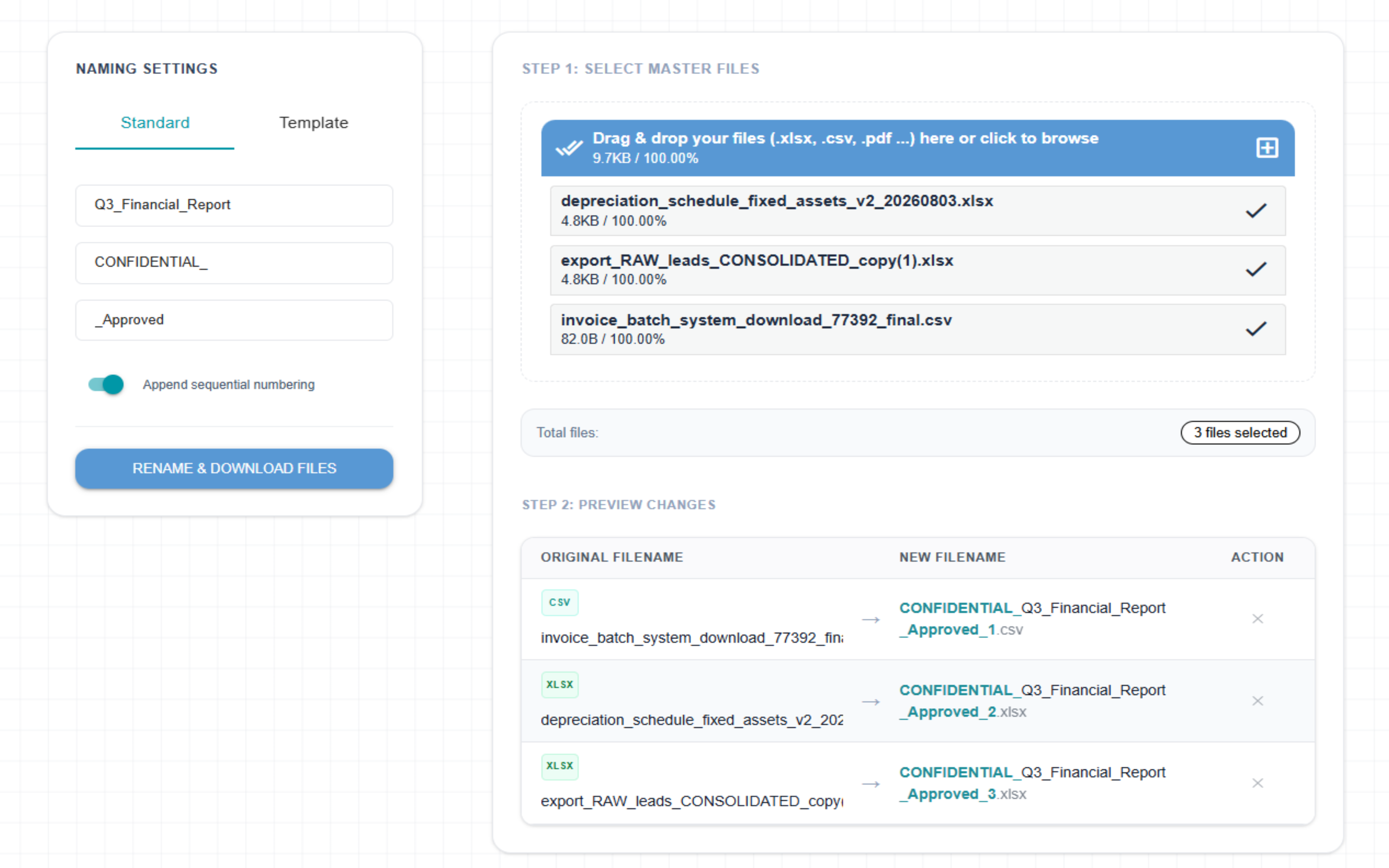
Instantly rename hundreds of messy spreadsheets, downloads, or PDFs at once. Automatically clean up raw system dumps, add clean numbers, or inject dates with a single click.
The Advanced Data Splitter
Slice one giant spreadsheet into individual files instantly by unique column values, fixed row counts, or evenly distributed parts. This universal engine effortlessly parses any data dump into compliant CRM or ERP import limits—perfect for large Salesforce exports, QuickBooks ledgers, and SAP reports.
The Workbook Sheet Extractor
Isolate every individual sheet inside a giant Excel workbook into its own standalone document automatically. Extract layers instantly without losing formulas, custom styles, or data integrity.
The Master Sheet Combiner
Combine multiple CSV or Excel files into a single master spreadsheet instantly. The smart engine automatically aligns mismatching columns by header names, wipes out duplicate rows, and handles bulk datasets from any source—including complex financial bank statements, QuickBooks ledgers, or SAP outputs.
The Master Workbook Organizer
Effortlessly reorder sheets with responsive drag-and-drop controls, automatically inject interactive Table of Contents navigation index pages with deep anchor links, and customize output filenames—all 100% locally in your browser with absolute data privacy.
The Enterprise Data Cleaner
Instantly wipe completely blank or corrupted rows from unstructured raw data dumps, purge hidden whitespace formatting from misaligned cells, and automatically normalize column schemas—perfect for purifying complex Salesforce exports, SAP reports, and bank statements before CRM or ERP imports.
Your business data is completely safe.
We never see it.
Your spreadsheets stay strictly isolated on your local computer. All file renaming and spreadsheet splitting happen entirely inside your web browser. Splicebatch does not upload your files to any external infrastructure, ensuring your company secrets, client lists, and internal financial numbers remain 100% private.
How we protect your files
Splicebatch is built to keep your internal reports and operational data safe from external exposure.