The E-Commerce Asset Bottleneck: Why Manual Image Renaming Stalls Store Launches
It is a tedious administrative hurdle known to every e-commerce store manager, digital marketer, and inventory coordinator. You download a fresh batch of product photography from a studio camera, a wholesale manufacturer, or a design export drive. Before you can upload these visual assets to your digital storefront, you are confronted with hundreds of files named identically to unoptimized system patterns like IMG_9842.jpg or SKU_RAW_V2.png.
Leaving these filenames untouched destroys your search engine optimization (SEO) traction and makes backend inventory tracking nearly impossible.
Attempting to click through every individual image manually to rename files to match your SKUs or product handles is incredibly slow, introducing fatigue that frequently leads to:
- Broken Extensions: Accidentally erasing or altering
.jpgor.pngsuffixes, rendering files unreadable by web browsers. - Indexing Duplications: Creating accidental duplicate file strings that overwrite existing media assets during store imports.
- Upload Validation Errors: Leaving spaces, illegal characters, or unoptimized symbols that cause Shopify or WooCommerce import scripts to reject your media folders.
The operational risk: Managing large asset libraries with unformatted names delays product catalog updates, breaks automated store import loops, and severely reduces your store’s discoverability on image search engines.
Option 1: Streamline Creative Assets with Splicebatch
If you need a reliable method to structure index patterns, inject SKU references, and sanitize image filenames across heavy photo dumps without breaking file extensions or locking your system, deploying a client-side automation tool is the best move.
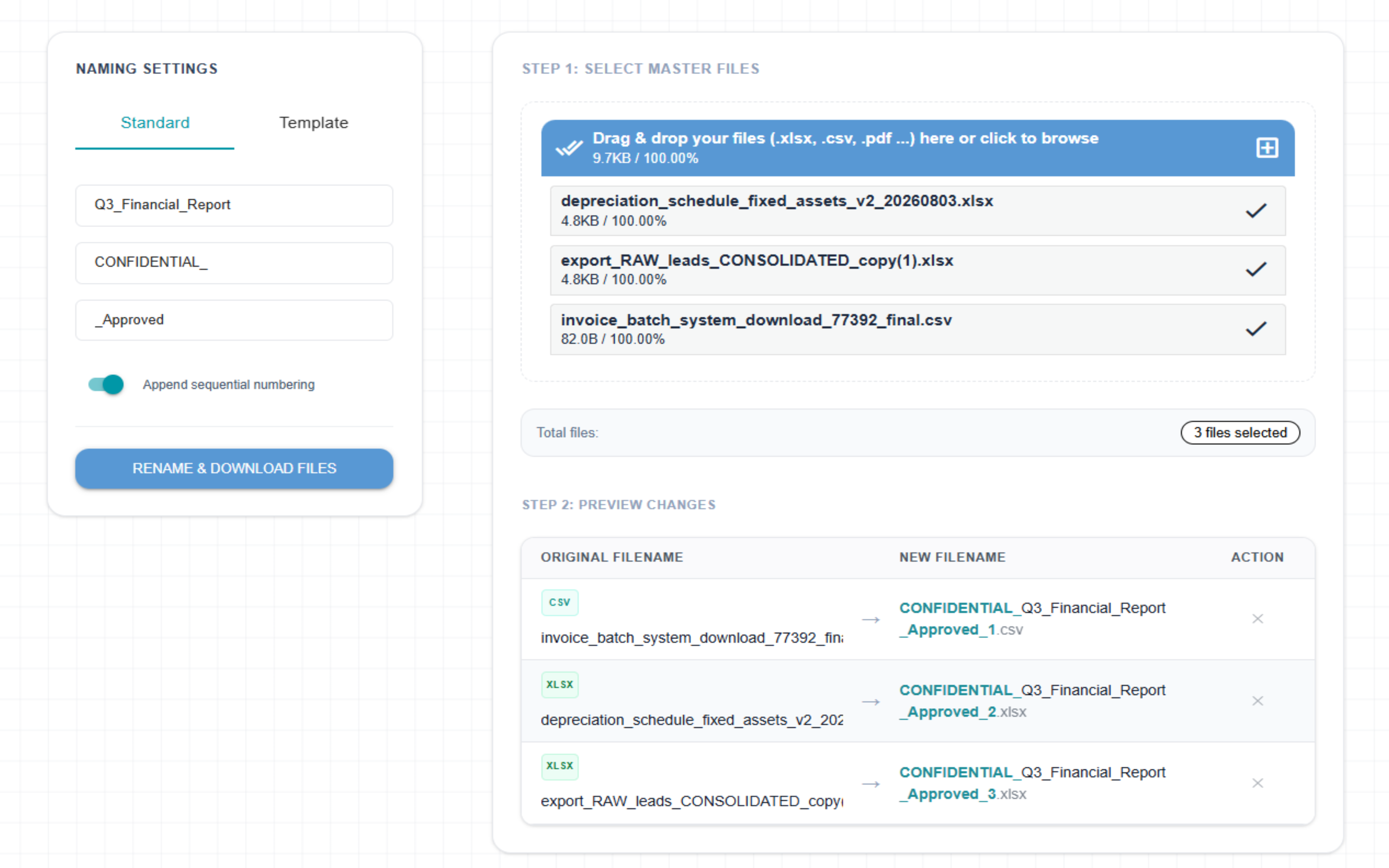
The Splicebatch bulk file renaming engine is optimized to rewrite strings row-by-row safely in your local workspace sandbox:
- Drop your raw asset folder straight into our secure browser interface sandbox.
- Define your formatting architecture. Set clear rule sequences using custom text inputs, sequential index numbering, or bulk find-and-replace variables.
- Download your ready-to-import ZIP archive. Click rename, and our system updates hundreds of filename metadata strings inside browser memory in less than three seconds.
Performance Check: Splicebatch executes all renaming transformations locally without uploading multi-gigabyte media asset files to the cloud. The Free tier easily formats batches up to 5MB, while our Pro Plan handles massive, high-resolution product photography dumps with no file caps.
Option 2: The Native macOS Terminal Automation Route
If your operations team works exclusively on Apple hardware and prefers a native command-line configuration for basic sequential indexing, you can build a filename processing pipeline directly inside the Mac Terminal shell.
Open your local terminal app, navigate to your targeted media asset directory using the cd command, and execute this renaming matrix loop:
# Set your target path directory vector and directory index criteria
dir_path="/Users/admin/Desktop/product_photos"
prefix="summer-collection-sku"
count=1

cd "\$dir_path"

for file in *.{jpg,jpeg,png,webp}; do
    # Ensure the loop skips if no matching format properties are detected
    [ -f "\$file" ] || continue

    # Extract the file extension safely while locking the underlying name
    ext="\${file##*.}"

    # Rename the file using structured sequential naming logic
    mv "file" "{prefix}-count.{ext}"
    ((count++))
done
Execute terminal scripts with caution to prevent accidental overwrites.
Client-Side Platform vs. Command-Line Shell Automation
While running native shell loops handles basic string operations, applying command-line scripts to production retail stores creates severe business friction:
| Operational Metric | Mac Terminal Scripting | The Splicebatch Engine |
|---|---|---|
| Technical Boundary | High barrier. Requires understanding terminal syntax, bash routing, and risks destructive asset overwrites if loops misfire. | Zero friction. Accessible to any marketing assistant or virtual helper via an intuitive, visual drag-and-drop web UI. |
| Extension Safety | Unstable. Mistyping extension extraction parameters can permanently strip file formats and ruin entire media libraries. | Locked down. Automated backend algorithms isolate file extensions entirely, ensuring your original formats remain 100% stable. |
| Pattern Flexibility | Complex. Adding a mixture of search-and-replace values along with numbering sequences requires writing long regular expressions. | Instant setup. Easily combine custom prefixes, suffixes, numbering, and string cleanups using simple, stacked configuration toggles. |
Frequently Asked Questions
Will bulk file renaming lower the compression quality of my photos?
No. Splicebatch purely adjusts the text-based filename metadata string within your browser’s local sandbox memory. The actual binary asset data, pixel layers, resolution densities, and color space properties remain completely untouched.
Can I include symbols or spaces in my e-commerce filename patterns?
While you can write spaces, it is highly recommended to use hyphens (-) or underscores (_) instead. Standard web browsers and content delivery networks (CDNs) automatically encode spaces into messy strings like %20, which can break product imagery connections.
Does the system support modern next-gen image file formats?
Yes, absolutely. Our utility engine is completely format-agnostic. It safely processes and restructures metadata names across standard formats as well as modern, highly optimized web delivery files including WebP, SVG, AVIF, PNG, and JPEG.