Automate messy Excel & CSVs
without the copy-paste.

Stop losing your afternoons to endless spreadsheet adjustments. Clean up giant system exports, split large datasets by column values or tabs, and merge multiple sheets into a single master layout in seconds.

://splicebatch.com
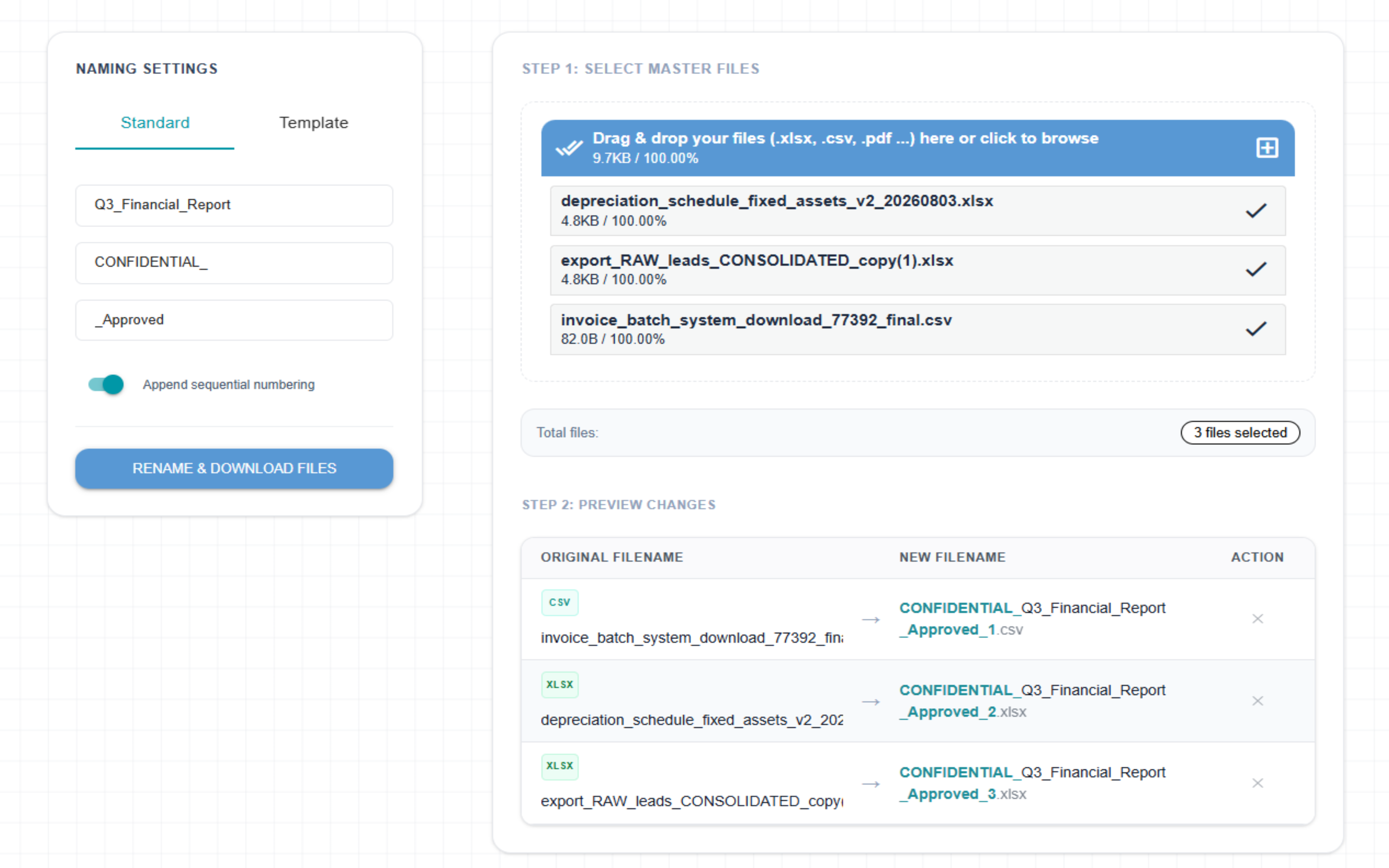
SpliceBatch File Sorting Helper Interface UI View
THROUGHPUT EFFICIENCY
Instant Close

Eliminate manual data reconciliation and bulk-rename entire month-end data batches simultaneously.

COMPLIANCE SAFE
Zero Scripting

No unstable VBA macros, advanced terminal scripts, or custom spreadsheet dependencies required.

DATA ISOLATION
100% Client Private

Operates entirely in-browser. Sensitive financial documents and client data never persist on outside infrastructure.

OFFICE AUTOPILOT

Reclaim your team's productive hours

FEATURE 01

The Magic Bulk Renamer

Instantly rename hundreds of messy spreadsheets, downloads, or PDFs at once. Automatically clean up raw system dumps, add clean numbers, or inject dates with a single click.

FEATURE 02

The Smart Column Splitter

Need to send separate tables to different managers? Choose any column (like Region or Employee Name) and the tool cuts one giant spreadsheet into individual files instantly.

FEATURE 03

The Workbook Sheet Extractor

Isolate every individual sheet inside a giant Excel workbook into its own standalone document automatically. Extract layers instantly without losing formulas, custom styles, or data integrity.

FEATURE 04

The Master Sheet Combiner

Combine multiple CSV or Excel files into a single master sheet instantly. Automatically aligns mismatching columns by name and wipes out duplicate rows in seconds.

FEATURE 05

The Master Workbook Organizer

Effortlessly reorder sheets with responsive drag-and-drop controls, automatically inject interactive Table of Contents navigation index pages with deep anchor links, and customize output filenames—all 100% locally in your browser with absolute data privacy.

Data Privacy

Your business data is completely safe. We never see it.

Your spreadsheets stay strictly isolated on your local computer. All file renaming and spreadsheet splitting happen entirely inside your web browser. Splicebatch does not upload your files to any external infrastructure, ensuring your company secrets, client lists, and internal financial numbers remain 100% private.

🔒 Secure and private local document handling
Safety Guarantee

How we protect your files

Splicebatch is built to keep your internal reports and operational data safe from external exposure.

No Cloud Uploads — Your spreadsheets are never uploaded to the internet.
No Saved Records — We do not store or keep copies of your documents.
Instant Clean-up — Everything is completely wiped when you close the tab.
100% In-Browser Privacy
Efficiency Calculator

Calculate your team's monthly savings

See exactly how many hours and manual labor expenses you eliminate by shifting from endless copy-pasting to automated file batch operations.

150
4 min
Time Reclaimed
10.0

productive hours / mo

Cost Reduction
$350

estimated labor savings

Splicebatch Pro is just 29,00 € / month

PAYS FOR ITSELF WITHIN YOUR VERY FIRST BATCH

System Specifications

Bulk Spreadsheet
Transformation

Splicebatch eliminates manual spreadsheet workloads by instantly executing structural layouts, sheet splits, and custom formatting across your files simultaneously.

Windows
macOS
Linux
Launch Your Web Workspace

Zero installation required • Fully compatible with Chrome, Edge, Safari, and Firefox

What formats are supported?

The data engine natively parses and processes Microsoft Excel workbooks (.xlsx, .xls) and Comma-Separated Values (.csv) for advanced tabular workflows. For standard batch operations, the Bulk File Renamer is format-agnostic, seamlessly accepting any standard office file types, including documents (.pdf) and text files (.txt).

Where is my data processed?

Your files never leave your computer. All processing happens completely on your device, right inside your web browser. Splicebatch does not upload your sensitive spreadsheets to any external servers, keeping your company data 100% private. All transformations run directly in your local browser memory sandbox.