Splicebatch Feature

Batch rename Excel and CSV files in seconds

Stop wasting hours manually renaming hundreds of spreadsheets one by one. Upload your files, set your custom naming patterns, and let Splicebatch automate the work in seconds—100% securely.
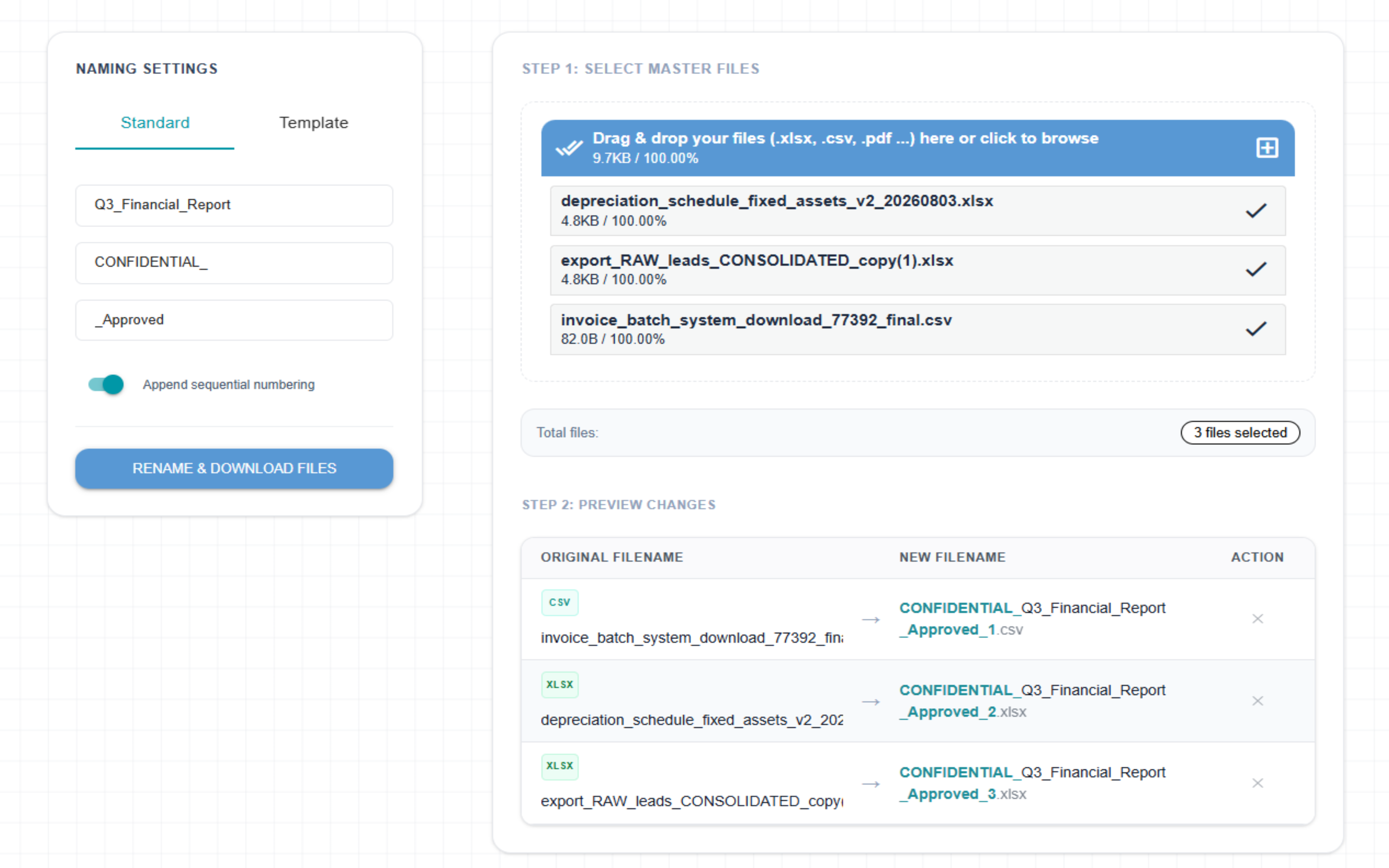
Splicebatch Bulk Rename interface

Rename thousands of files in 3 simple steps

1

Upload Spreadsheets

Drag and drop your .xlsx spreadsheets, text-based .csv, or .pdf files directly into our secure workspace.

2

Set Naming Rules

Choose between Standard mode to add custom prefixes and suffixes, or Template mode to inject dynamic date tokens and sequential counters.

3

Download Clean ZIP

Instantly process all file names inside your browser memory and download a clean compressed ZIP archive containing all documents.

Frequently Asked Questions

Is my sensitive data secure during batch renaming?

Yes, 100%. Splicebatch processes all file name transformations locally inside your browser's memory. Your spreadsheet contents are never uploaded to any server, making it perfectly safe for corporate and confidential financial data.

What formatting tokens does the Template mode support?

Our dynamic template renamer supports multiple live tokens: [ORIGINAL] for the original name, [COUNTER] for sequential numbering (01, 02...), [YYYY] or [YY] for the current year, and [MM] / [DD] for months and days.

What happens if I exceed the Free plan limits?

The Free plan allows you to quickly evaluate our automation logic. If you need to batch-rename heavy corporate folders or hundreds of spreadsheets simultaneously, you can upgrade to the Pro plan for just $29.00 per month.

Ready to fix your messy spreadsheet names?

Join smart professionals who stop losing their afternoons to endless manual file editing tasks.

Try Bulk Renamer For Free